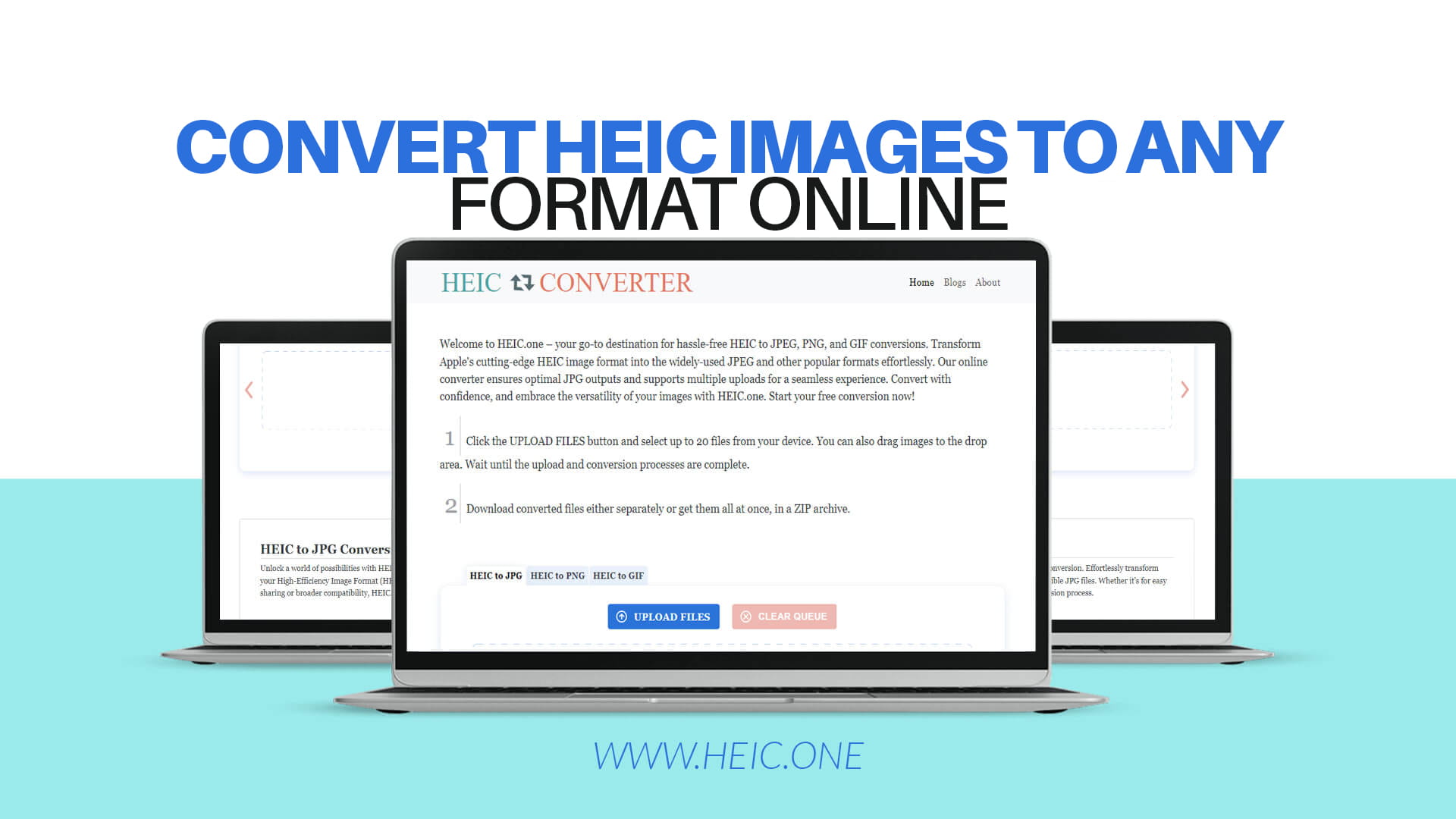
HEIC is a modern image format that Apple created for iPhones and iPads. The letters HEIC stand for "High Efficiency Image Container." Apple decided to use this format because it makes images smaller in size while keeping the picture quality very good. When you take a photo with a newer iPhone, it automatically saves the picture as HEIC format.
However, the HEIC format has a big problem. Not all devices and websites can open HEIC images. Many computers, phones, and websites do not support this format yet. This is why you might need to change your HEIC images to a format that more people can use, like JPEG or PNG.
JPEG is the most popular image format in the world. Almost every device and website can open JPEG files. If you want to share your photos on social media, email them to friends, or upload them to a website, JPEG format is usually the best choice. PNG format is another good option, especially if you need a clear background or want to keep very high quality in your images. GIF format is great for simple animations and fun images.
Converting HEIC images to other formats gives you more freedom. You can use your photos on any device, share them anywhere, and never worry about compatibility problems. The good news is that converting HEIC images is now very easy and quick.
Many people face problems with HEIC images because their older devices do not support this format. If you have a newer iPhone, your photos are automatically in HEIC format. When you try to open these photos on your computer or share them online, you might get an error message saying the format is not supported.
Sharing HEIC images can be tricky. Many email services and websites do not accept HEIC files. Social media platforms like Facebook, Instagram, and Twitter may not support HEIC format. If you try to upload an HEIC image, the website might reject it or give you an error.
Having your photos in JPEG or PNG format makes life much easier. These formats work on every device. You can open them on old computers, new smartphones, tablets, and any other device you use. You can share them on any website without problems. You can email them to anyone, and they will be able to open the photos without any trouble.
Converting your HEIC images also helps you save space. While HEIC format is smaller, having all your photos in a popular format like JPEG means you can manage them better across all your devices. You will not have to worry about compatibility issues when you switch devices or upgrade your equipment.
Before you convert your HEIC images, it is helpful to understand the different formats available. Each image format has its own special features and uses.
JPEG Format is the most common image format in the world. JPEG files are very small compared to other formats, which makes them perfect for sharing and storing. JPEG uses something called lossy compression, which means it removes some information from the image to make the file smaller. However, the image quality is still very good, and most people cannot see the difference. If you need to email photos, upload them to social media, or save them on your phone, JPEG is the best choice.
PNG Format creates larger files than JPEG, but it keeps all the picture information. PNG uses lossless compression, which means no information is lost. PNG format also supports transparency, which means you can have a clear or see-through background. This is very useful for graphics, logos, and images that you need to edit. If you need to preserve perfect image quality or need a transparent background, PNG is the right choice.
GIF Format is older than JPEG and PNG, but it is still very popular. GIF format can store multiple images in one file, which makes it perfect for creating simple animations and moving images. If you see funny animated images on the internet, they are probably GIF files. GIF also supports transparency and has smaller file sizes. GIF format is perfect for animated images, but not ideal for regular photos because it supports fewer colors.
WebP Format is a newer format created by Google. WebP makes images even smaller than JPEG while keeping good quality. Many modern devices and websites now support WebP format. If you want the smallest possible file sizes and the best quality, WebP might be a good option.
HEIC.one is a free online tool that helps you convert HEIC images to any format you want. This website is completely free, and you do not need to install any software on your computer. You just visit the website, upload your image, and get the converted file in seconds.
The best thing about HEIC.one is how simple it is to use. You do not need to be a computer expert or know anything about image formats. The website is designed to be easy for anyone to use. Whether you are young or old, good with computers or not, you can use HEIC.one without any problems.
HEIC.one lets you convert single images or multiple images at the same time. If you have many photos to convert, you can upload them all together and convert them all in one go. This saves you a lot of time compared to converting images one by one.
The quality of your converted images is very important. HEIC.one uses advanced technology to make sure your images look great after conversion. Your photos will keep their color, brightness, and sharpness. You will not see any loss in quality when you convert your images to JPEG, PNG, or any other format.
HEIC.one keeps your information safe and private. The website does not store your images after conversion. Your photos are not saved on their servers and are not shared with anyone. You upload your image, convert it, download it, and then it is deleted. This means your photos stay private and secure.
Converting your HEIC images on HEIC.one is very easy and takes only a few minutes. Here is exactly what you need to do.
First, open your web browser and go to HEIC.one. You can use any web browser, like Chrome, Firefox, Safari, or Edge. You do not need to download or install anything. Just type the website address and wait for the page to load.
Once you are on HEIC.one, you will see a large area where you can upload your images. This area is usually in the middle of the page and has a message saying something like "Drop your images here" or "Click to upload." You can click on this area to open a file picker, or you can drag and drop your images directly onto the website.
If you click on the upload area, your computer will show you a folder window. Look for your HEIC images in the folder window. You can select one image or multiple images at the same time. If you want to select multiple images, hold down the Ctrl key on Windows or the Command key on Mac, then click on each image you want to convert.
Alternatively, you can drag and drop your images. Open the folder on your computer where your HEIC images are stored. Then click on your image and drag it to the HEIC.one website. Drop the image on the upload area, and it will start uploading.
After you upload your images, the website will show you options for the format you want to convert to. You can choose JPEG, PNG, GIF, or other formats. Think about what you need. If you want small files that work everywhere, choose JPEG. If you need good quality or a transparent background, choose PNG.
The conversion happens very fast. Most images convert in just a few seconds. You will see a progress bar showing the conversion happening. Once the conversion is complete, you can download your new image.
Downloading your converted image is simple. Click the download button next to your converted image. Your browser will download the image to your computer, usually to your Downloads folder. You can then open the image, edit it, share it, or move it wherever you want.
Converting your HEIC images to JPEG format has many great benefits. JPEG is the most popular format, and it works on every device in the world. Whether you are using an old computer, a new smartphone, or a tablet, you can always open JPEG files.
JPEG files are very small compared to HEIC files. This means you can store more photos on your device without using up all your storage space. Small files also download and upload much faster than large files. If you need to email photos or upload them to social media, JPEG format is the fastest option.
JPEG quality is excellent. Most people cannot tell the difference between a JPEG image and the original photo. Your pictures will look beautiful and clear in JPEG format. The colors will be bright and accurate, and all the important details of your photo will be preserved.
JPEG format is perfect for social media sharing. Websites like Instagram, Facebook, Twitter, and Pinterest all support JPEG format perfectly. You can upload JPEG images without any problems or errors. Your friends and family will be able to see your photos easily on any of these platforms.
JPEG images are also very easy to edit and manipulate. Many photo editing software programs support JPEG format. You can crop, resize, add filters, or make other changes to your JPEG images very easily.
PNG format is another excellent choice for converting your HEIC images. PNG format keeps the absolute best quality of your images. Every detail is preserved perfectly with no loss of information. If you are a photographer or you care about image quality, PNG is an excellent choice.
PNG format supports transparency, which means you can have a clear or see-through background. This is very useful if you need to use your image in a graphic design or combine it with other images. You can remove the background from your photo and use it on any background you want.
PNG files work on every modern device and website. Almost all computers, phones, and tablets can open PNG files without any problem. PNG is especially popular for graphics, logos, icons, and artwork.
PNG format is perfect if you plan to edit your images later. Whether you want to crop, resize, adjust colors, or make other changes, PNG format handles all of these tasks perfectly. The high quality of PNG images means you can make changes without losing image quality.
PNG images are also great for printing. If you want to print your photos, PNG format gives you the best possible results. Your printed images will look sharp, clear, and beautiful.
GIF format is perfect if you want to create animated images or if you have images that need to move or change. GIF is the standard format for animations on the internet. Every website supports GIF format.
GIF files are small and download very quickly. This makes them perfect for sharing animated images on social media or in messages. GIF animations are fun and entertaining, and they grab people's attention better than still images.
GIF format supports many colors and can show very detailed images. If you want an animated version of your photo or a moving image, GIF format is the best choice. You can create funny animations, demonstrations, or short videos using GIF format.
There are several ways to convert HEIC images. You could buy expensive software, download programs to your computer, or use other online tools. However, HEIC.one is better than these alternatives for many reasons.
Software that you buy is expensive and takes up storage space on your computer. You need to download large programs, install them, and remember how to use them. If you do not use the software often, you might forget how to use it. HEIC.one is free and does not require any installation.
Downloading and installing programs on your computer is risky. You might download a program that has viruses or that steals your personal information. HEIC.one is completely safe. You do not download or install anything, so there is no risk to your computer.
Some other online conversion tools are slow and difficult to use. They might have confusing buttons, annoying advertisements, or they might not support the format you need. HEIC.one is fast, simple, and supports all the popular formats.
Some conversion methods are not free. You might have to pay money to convert each image, or you might have to pay for a monthly subscription. HEIC.one is completely free. You can convert as many images as you want without ever paying anything.
HEIC.one is also better because it respects your privacy. Other tools might save your images or share them with advertisers. HEIC.one does not save your images. They are deleted immediately after conversion.
When you convert your HEIC images using HEIC.one, you want the best possible quality. Here are some tips to help you get excellent results.
Always check your image before uploading it. Make sure the image is the correct photo that you want to convert. Check that the image looks good and clear. If your image is blurry, the converted image will also be blurry.
If you are converting photos for printing, choose PNG format. PNG format keeps the best quality and works perfectly for printing. Your printed images will look sharp and professional.
If you are converting photos for social media, JPEG format is the best choice. JPEG files are small and upload quickly. Social media websites love JPEG format and will display your images beautifully.
If you need to use your image on top of other images or backgrounds, choose PNG format because it supports transparency. You can remove the background and use your image anywhere.
Save your converted images in a safe place on your computer. Create a folder called "Converted Images" or something similar. Keep all your converted images in one place so you can find them easily.
If you convert many images, give them clear names. Instead of calling your images "photo1," "photo2," etc., use names that describe what the image shows. For example, "beach_sunset_2024" or "family_gathering_january." Clear names will help you find images later.
Before you share your converted images, open them and check how they look. Make sure the colors are right and the image looks as good as you expected. If something looks wrong, you can convert the image again using different settings.
Many people wonder why Apple chose to use HEIC format. The answer is simple. HEIC format makes image files very small while keeping great quality. This saves storage space on iPhones and iPads and allows Apple devices to store more photos. Apple wants its devices to have the newest technology, so they created HEIC format.
Some people ask whether converting images affects the quality. The answer depends on which format you choose. If you convert to PNG format, there is absolutely no loss of quality. If you convert to JPEG format, the quality is still excellent and almost impossible to see any difference. The slight quality difference is worth it because JPEG files are much smaller.
Many people want to know if HEIC.one works on mobile phones. The answer is yes! HEIC.one works on any device with a web browser. You can use it on your iPhone, Android phone, tablet, or computer. You can convert your photos from your phone using the same simple process.
People also ask how many images they can convert at one time. HEIC.one allows you to convert multiple images at once. You can upload as many images as you want and convert them all together. This saves time if you have many photos to convert.
Some people worry about security and privacy. You can be completely confident that HEIC.one is safe and private. Your images are not saved on their servers. They are deleted immediately after conversion. No one can see your images.
Apple created HEIC format because technology is always improving. Older formats like JPEG are good, but they have limitations. HEIC format is more advanced and makes better use of modern technology. HEIC images take up much less space while keeping the same quality as JPEG images.
The problem is that HEIC format is so new that many devices do not support it yet. Older devices, older computers, and many websites cannot open HEIC files. This creates problems for people who want to share their photos or use them in different places.
The solution is simple. You can easily convert your HEIC images to a format that works everywhere. JPEG, PNG, and GIF formats work on every device and website. By converting your HEIC images, you can use them anywhere without any problems.
This is why tools like HEIC.one exist. They help you bridge the gap between new technology and old devices. You can keep taking photos on your iPhone and enjoy all the benefits of modern technology. Then, when you need to use your photos on other devices or share them online, you can quickly convert them to a format that works everywhere.
Image formats continue to change and improve. In the future, more devices and websites will probably support HEIC format. WebP format, created by Google, is also becoming more popular. However, JPEG and PNG formats will probably be supported for many years to come.
This means that converting your HEIC images to JPEG or PNG is a very smart choice. Your images will work with every device and website for many years into the future. You will never have compatibility problems.
As technology changes, HEIC.one continues to improve and add new features. The website works with the latest technologies to make sure your conversions are fast and perfect quality.
After you convert your HEIC images using HEIC.one, you can use them in many different ways. You can email them to friends and family. You can upload them to social media like Facebook, Instagram, or Twitter. You can use them on your website or blog. You can edit them using photo editing software. You can print them and make physical copies. You can organize them in folders on your computer.
Converted JPEG images are perfect for everyday use. They are small, fast to upload, and work on every device. Most people use JPEG format for their regular photos.
Converted PNG images are perfect if you need high quality or if you need to edit your images later. Photographers and graphic designers often prefer PNG format because of its excellent quality.
Converted GIF images are perfect if you want to create animations or if you want to share fun moving images on social media.
Now that you understand why converting HEIC images is important and how easy it is, you should start converting your photos. You do not need any special skills or knowledge. You do not need to buy any expensive software. You just need to visit HEIC.one and follow the simple steps.
Converting your HEIC images takes only a few minutes. Once your images are converted to JPEG, PNG, or another format, you can use them anywhere without any problems. You will never have to worry about compatibility issues again.
HEIC.one makes the process incredibly simple and fast. You can convert one image or many images at the same time. The conversion quality is perfect, and your images will look beautiful. Your privacy is protected, and you will never pay anything.
Visit HEIC.one today and start converting your images. Your photos deserve to be usable on every device and website. With HEIC.one, you can make that happen in just a few clicks. Start your free conversion now and discover how easy it is to transform your HEIC images into any format you want.