Have you ever taken a photo on your iPhone and then tried to share it with someone, only to find out they cannot open it? Or maybe you tried to upload it to a website and got an error message? If this has happened to you, you are not alone. Millions of people face this problem every single day. The reason behind this is a file format called HEIC.
HEIC is the default format that Apple uses to save photos on iPhones and iPads. While it is a very smart format that saves storage space and keeps your photos looking sharp, it is not supported everywhere. Many websites, apps, and devices simply do not know how to read HEIC files. This is where you need a simple and reliable tool to help you convert those HEIC images into formats that work everywhere.
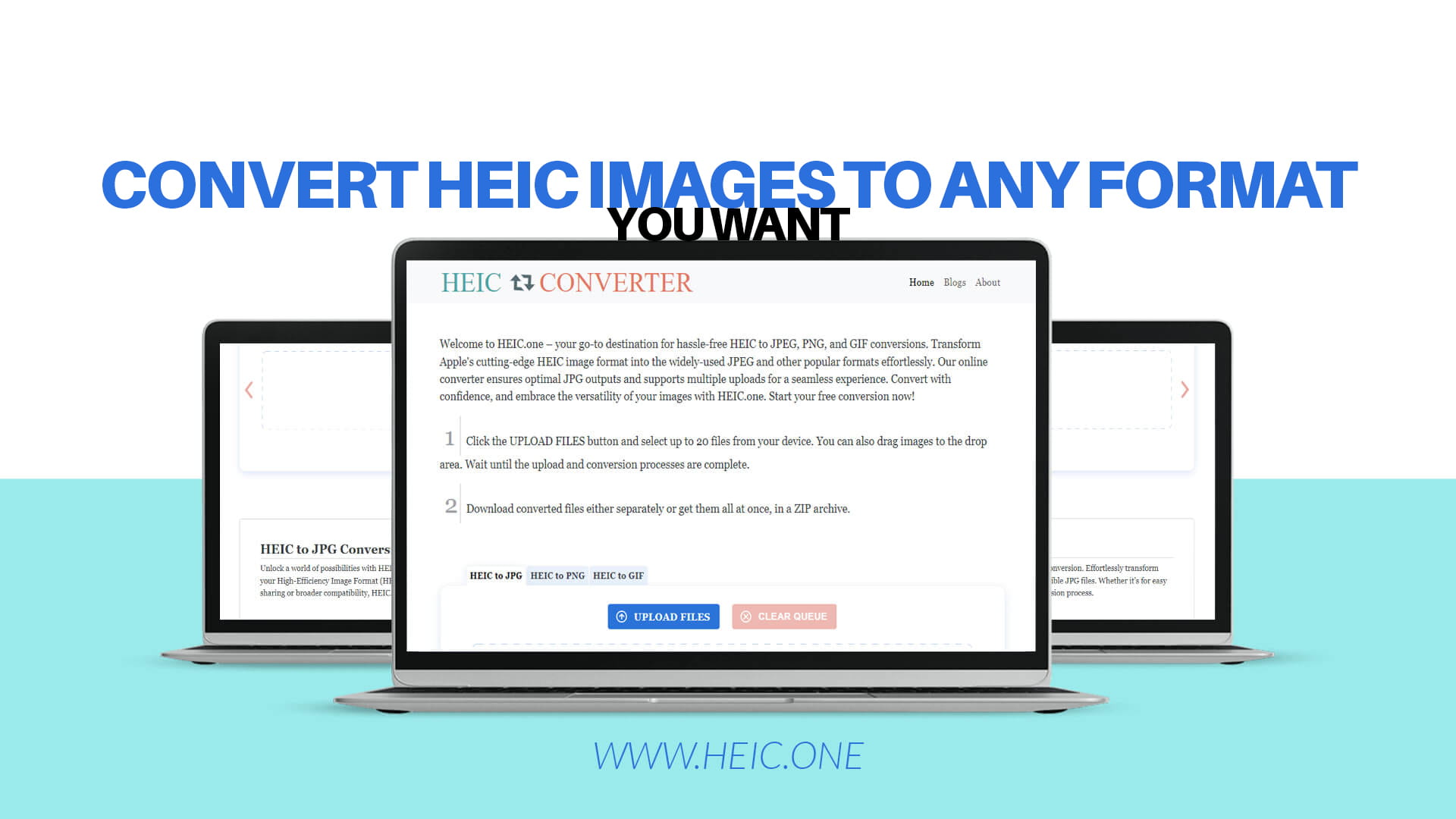
That is exactly what Heic.one is here for. It is a free, easy-to-use online tool that lets you convert your HEIC images into JPEG, PNG, GIF, and other popular formats within seconds. No downloads, no sign-ups, no complicated steps. Just upload, convert, and download. It is that simple.
In this article, we will talk about everything you need to know about HEIC images, why converting them matters, and how Heic.one makes the whole process quick and painless.
Before we talk about converting HEIC files, let us first understand what a HEIC file actually is.
HEIC stands for High Efficiency Image Container. It is a file format developed by a group called the Moving Picture Experts Group, also known as MPEG. Apple adopted this format in 2017 when they launched iOS 11. Since then, every iPhone and iPad saves photos in HEIC format by default.
The reason Apple switched to HEIC is pretty simple. HEIC files are much smaller in size compared to JPEG files, but they look just as good or even better. In fact, a HEIC file can be almost half the size of a JPEG file while maintaining the same level of image quality. This means you can store more photos on your phone without filling up your storage.
HEIC also supports features like transparency, wide color ranges, and the ability to store multiple images in a single file. These are features that older formats like JPEG simply do not support in the same way.
So if HEIC is so great, why does anyone need to convert it? The answer is compatibility.
Even though HEIC is a technically superior format, it is not yet fully supported everywhere. This creates a number of frustrating situations for everyday users.
When you try to open a HEIC file on a Windows computer that does not have the right software, you may see an error or just a blank icon instead of your photo. Many older Android phones also cannot open HEIC files without special apps. Even some websites and social media platforms do not accept HEIC uploads.
If you are a photographer, designer, or content creator, you may also find that your editing software does not support HEIC files. While some newer programs have added HEIC support, many popular tools still only work with JPEG, PNG, or other common formats.
Sharing photos via email or messaging apps can also be a problem. If the person receiving your photos is not using an Apple device, there is a good chance they will not be able to open them.
This is why converting HEIC files to more universally accepted formats is so important. It removes the barrier and lets your photos be seen and used by everyone, on every device and platform.
Now that you understand the problem with HEIC files, let us look at the formats you might want to convert them into. Each format has its own strengths, and the right choice depends on how you plan to use your image.
JPEG
JPEG is probably the most widely used image format in the world. It is supported by virtually every device, operating system, website, and app. JPEG files are small enough to be shared easily and still look great for most everyday uses like sharing photos, posting on social media, or adding images to documents.
One thing to know about JPEG is that it uses what is called lossy compression. This means the file is made smaller by removing some image data. For most people and most uses, this is not a problem at all. The quality loss is usually not visible to the naked eye.
If you want your HEIC photos to work everywhere and look great, converting to JPEG is almost always the best choice.
PNG
PNG stands for Portable Network Graphics. It is another very popular image format, and it has some important differences from JPEG.
PNG uses lossless compression, which means no image data is lost when the file is saved. This makes PNG great for images where you need sharp, clean edges and precise detail, like logos, screenshots, and graphics with text.
PNG also supports transparency, which means parts of the image can be see-through. This is very useful for designers who need to place images on different backgrounds.
However, PNG files are usually larger than JPEG files, so they are not always the best choice for photos you want to share quickly.
GIF
GIF is an older format that is mostly known today for short, looping animations. While it is not ideal for high-quality photos, it is perfect for simple animated images. If you want to create a fun, looping clip from a burst of photos or a Live Photo taken on your iPhone, converting to GIF is a great option.
GIF files support only 256 colors, so they are not suitable for detailed, full-color photography. But for simple animations and fun shareable content, GIF is still very popular.
There are many tools out there that claim to convert HEIC files, but not all of them are created equal. Some are slow, some have limits on how many files you can convert, and some require you to download software onto your computer. Heic.one is different in all the right ways.
It Is Completely Free
You do not have to pay anything to use Heic.one. There are no hidden charges, no subscription fees, and no premium plans that lock the best features behind a paywall. Every feature on Heic.one is available to every user for free, right from the start.
No Software Download Required
Heic.one works directly in your web browser. You do not need to install anything on your computer or phone. This is great because it means you can use it from any device, anywhere in the world, as long as you have an internet connection.
Fast and Easy to Use
The conversion process on Heic.one takes just a few seconds. The interface is clean and simple, so you do not need any technical knowledge to use it. Even if you have never converted an image file before, you will find the process completely straightforward.
Supports Multiple Uploads
One of the most useful features of Heic.one is the ability to upload and convert multiple files at once. If you have a whole album of HEIC photos that you want to convert, you do not have to do them one by one. You can upload them all together and get them all converted in one go. This saves a huge amount of time.
High Quality Output
When you convert your HEIC images using Heic.one, you get the best possible quality in the output file. The tool is designed to maintain the sharpness, color accuracy, and detail of your original photo during the conversion process. Your converted images will look just as good as the originals.
Works on Any Device
Whether you are on a Windows PC, a Mac, an Android phone, or any other device, Heic.one works the same way. Since it runs in your browser, it is fully compatible with all modern devices and operating systems.
Your Files Are Safe
Privacy matters, and Heic.one takes it seriously. Your uploaded files are processed securely and are not stored permanently on the server. You can convert your personal photos with confidence, knowing that your images are handled safely.
The process of converting your HEIC images on Heic.one is incredibly simple. Here is how it works.
The first thing you need to do is go to Heic.one in your web browser. You will see a clean, easy-to-understand interface that guides you through the whole process.
Next, you upload your HEIC files. You can do this by clicking the upload button and selecting the files from your device. You can also drag and drop files directly onto the page if you prefer. Remember, you can upload multiple files at once, so feel free to select as many as you need.
After uploading, you choose your output format. Do you want JPEG? PNG? GIF? The choice is yours. Select the format that works best for your needs.
Once you have made your selection, the conversion begins automatically. Heic.one processes your files quickly, and within a few seconds, your converted images are ready.
Finally, you download your converted files. They will be saved in the format you chose and are ready to share, upload, or use however you like.
That is the entire process. Simple, fast, and effective.
To give you a better idea of just how helpful HEIC conversion can be, let us look at some real-life situations where people need it.
Sharing Photos with Friends and Family
Imagine you just came back from a vacation and you have hundreds of beautiful photos on your iPhone. You want to share them with your parents, who use an old Windows laptop, or with your friends, who have Android phones. If you send the photos as HEIC files, many of them will not be able to open them. By converting to JPEG first, you make sure everyone can enjoy your memories without any technical trouble.
Posting on Social Media and Websites
Many social media platforms and websites prefer or require JPEG or PNG uploads. While some platforms will automatically convert your HEIC files, others will not. To be safe and to ensure the best quality, converting your HEIC images to JPEG before uploading is always a smart move.
Using Photos in Documents and Presentations
If you are creating a report, a presentation, or any kind of document and you want to include photos taken on your iPhone, you need to make sure those photos are in a format that your software can use. Most word processors and presentation tools work best with JPEG or PNG files. Converting your HEIC photos makes it easy to drop them into any document without issues.
Editing Photos in Design Software
If you use design or photo editing software and you want to work with photos from your iPhone, converting HEIC to JPEG or PNG first will ensure that your software can open and edit the files without any problems. This is especially helpful for bloggers, graphic designers, and photographers who use Apple devices to take photos but Windows-based software to edit them.
Archiving and Organizing Your Photo Library
If you want to organize your photos in a folder on your computer and make sure they are always accessible, converting them to JPEG is a good idea. JPEG is such a widely supported format that you will never have to worry about whether your photos will open, no matter what device or software you use in the future.
Even though converting HEIC files with Heic.one is simple, here are a few tips to help you get the best possible results every time.
Always choose the right format for your purpose. If you are sharing photos casually or posting online, JPEG is usually the best choice. If you need transparency or are working with graphics, go with PNG. If you want to create a fun animation, use GIF.
When converting multiple files at once, make sure all the files you are uploading are actually HEIC files. Mixing different file types in a single upload might cause confusion or errors.
If you are converting photos for professional use, take a moment to check the output quality after conversion. While Heic.one maintains high quality during conversion, it is always a good idea to double-check that your converted images look exactly the way you need them to.
Do not delete your original HEIC files right away after converting. Keep them as a backup until you are sure the converted versions are working properly. This way, if anything goes wrong, you still have the original files to work with.
HEIC is slowly gaining more support across different platforms and devices. Microsoft has added HEIC support to Windows through a paid extension in the Microsoft Store. Google Photos can now display HEIC files. Some Android devices are also beginning to support the format natively.
However, full and universal support for HEIC is still a long way off. There are still millions of devices, apps, and platforms that cannot handle HEIC files. And even as support grows, there will always be situations where you need to share an image in a more universal format.
Conversion tools like Heic.one will continue to be important as long as there is a gap between the advanced formats used by Apple and the formats expected by the rest of the digital world. Whether you are a casual iPhone user or a professional photographer, having a reliable conversion tool in your toolkit is just smart.
Some people wonder whether they should use an online tool like Heic.one or download a desktop app for converting their images. There are good reasons to choose the online approach.
First, online tools do not take up space on your device. Desktop software can be large and may slow down your computer. With an online tool, there is nothing to install and nothing to maintain.
Second, online tools are always up to date. The developers behind Heic.one keep the service running with the latest improvements, so you always have access to the best version without having to download updates.
Third, online tools are accessible from anywhere. If you are traveling and you need to convert a file on a borrowed laptop or a computer at a hotel business center, you can use Heic.one without any setup at all.
Finally, for most people, converting HEIC files is not something they need to do all day, every day. It is something you do occasionally when the need arises. For that kind of occasional use, an online tool is much more practical than dedicated desktop software.
Your iPhone takes incredible photos. The camera technology packed into modern Apple devices is truly impressive, and HEIC format is part of what makes those photos look so good while keeping file sizes manageable.
But the beauty of a great photo means nothing if people cannot see it. That is why having a reliable way to convert your HEIC files into formats that everyone can view and enjoy is so important.
Heic.one gives you that reliability. It is fast, free, easy to use, and delivers great results every single time. Whether you need to convert one photo or an entire album, whether you need JPEG, PNG, or GIF, Heic.one has you covered.
Stop letting file format issues get in the way of sharing your best moments. Visit Heic.one today and start converting your HEIC images for free. It only takes a few seconds, and the difference it makes is enormous.
HEIC is a powerful and efficient image format, but its limited compatibility with non-Apple devices and platforms makes conversion a necessary step for anyone who wants to share, use, or store their iPhone photos without running into problems.
Heic.one makes that conversion effortless. With its simple interface, fast processing, support for multiple file uploads, and completely free access, it is the ideal tool for anyone who needs to convert HEIC images quickly and easily.
Whether you are converting a single photo to send to a friend or batch-converting an entire holiday album before uploading it to your website, Heic.one handles the job perfectly. The tool supports conversions to JPEG, PNG, GIF, and other popular formats, giving you total flexibility to use your images exactly the way you want.
There is no need to struggle with file compatibility issues or pay for expensive software. Just head over to Heic.one, upload your files, choose your format, and download your converted images. It is the simplest solution to one of the most common problems iPhone users face.
Your photos deserve to be seen. Let Heic.one help you make that happen.